• Get involved.
    We want your input!
    Apply for Membership and join the conversations about everything related to broadcasting.

    After we receive your registration, a moderator will review it. After your registration is approved, you will be permitted to post.
    If you use a disposable or false email address, your registration will be rejected.

    After your membership is approved, please take a minute to tell us a little bit about yourself.
    https://www.radiodiscussions.com/forums/introduce-yourself.1088/

    Thanks in advance and have fun!
    RadioDiscussions Administrators

Display Problems on New Software

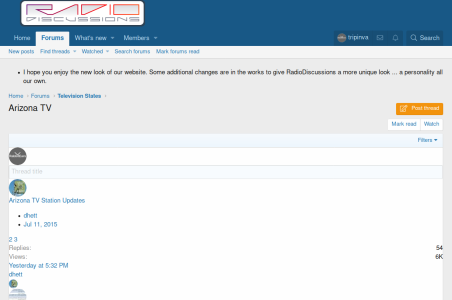
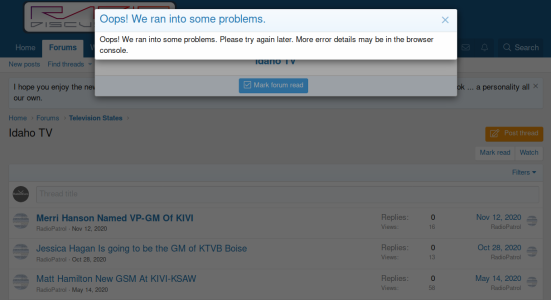
Now that the TV forums work again, I was going through to check the ones showing unread posts to see which ones needed to be marked read. Unfortunately, this has unveiled a set of issues. Roughly 50-60% of the time, the "Mark Read" button worked as expected. But the other 40-50% of the time, I one of the attached behaviors instead.

There was a third one, where all the styling was missing, that I did not get a screenshot of.

They appeared to be associated with receiving the "Checking your browser" message. The really puzzling part was that for the second one with the screwed up but still partially present styling, even doing Ctrl+F5 wouldn't clear up the issue until I let it sit for a few minutes and came back to the tab.

Thought you should know.

- Trip
 

Attachments

  • 20201206-Err1.png
    20201206-Err1.png
    94.7 KB · Views: 11
  • 20201206-Err2.png
    20201206-Err2.png
    77.8 KB · Views: 11
The "Checking your browser" message is coming from CloudFlare. We're working out the little bugs as we can.
 
Well, I give up. I keep trying to visit, but this keeps happening. It works okay for a minute or two, but once the CloudFlare message comes up, the whole site goes to hell for a while, with the exact behaviors shown above, plus with the other option I never did manage to post a picture of. I can post it if you wish, but it's basically the site without any CSS.

It's too frustrating constantly having to pause, refresh, try my operation again, etc. I had hoped it would be resolved by now, but have lost hope. I expect to scale back my already less frequent visits.

- Trip
 
Well, I give up. I keep trying to visit, but this keeps happening. It works okay for a minute or two, but once the CloudFlare message comes up, the whole site goes to hell for a while, with the exact behaviors shown above, plus with the other option I never did manage to post a picture of. I can post it if you wish, but it's basically the site without any CSS.

It's too frustrating constantly having to pause, refresh, try my operation again, etc. I had hoped it would be resolved by now, but have lost hope. I expect to scale back my already less frequent visits.

- Trip
I'm having no problems with the site. If you are getting a cloudflare message, perhaps you are doing something which could damage this website and cloudflare is protecting us.
 
Ah, yes, by viewing the website, I must be attacking it. And, naturally, CloudFlare finding there isn't a problem means the website should break when it loads. I suppose I'm viewing it wrong. :rolleyes:

- Trip
 
Ah, yes, by viewing the website, I must be attacking it. And, naturally, CloudFlare finding there isn't a problem means the website should break when it loads. I suppose I'm viewing it wrong. :rolleyes:

- Trip
It's possible that your computer contains some malware. Cloudflare doesn't "flag" connections unless there is a serious issue. In the future, as soon as you receive a Cloudflare message, please send me a message so I can find out why Cloudflare blocked you.
 
Well, I give up. I keep trying to visit, but this keeps happening. It works okay for a minute or two, but once the CloudFlare message comes up, the whole site goes to hell for a while, with the exact behaviors shown above, plus with the other option I never did manage to post a picture of. I can post it if you wish, but it's basically the site without any CSS.

It's too frustrating constantly having to pause, refresh, try my operation again, etc. I had hoped it would be resolved by now, but have lost hope. I expect to scale back my already less frequent visits.

- Trip


Works perfectly for me every time I log on using my PCs and mobile devices. Could be an issue with your network or possibly viruses or other harmful bugs on your system.
 
Status
This thread has been closed due to inactivity. You can create a new thread to discuss this topic.


Back
Top Bottom