Hi
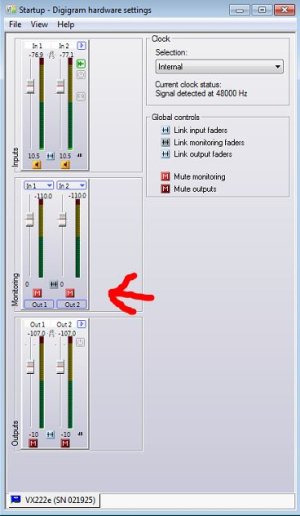
I removed a computer from our air studio that was having problems and rebuilt it. The audio card is an Echo Mia and they use Adobe AU 1.5. Before I blew up the computer they were able to stream audio from a website and record into the computer on the same audio bus (an old LPB Signature Console) with the output of the computer turned up on the console without causing a feedback loop. Now they can't do that. So, Obviously I broke something. I am using the same hardware. But now the OS is Wn7 Pro as opposed to Win7 Home. Is there a setting somewhere either in the Echo Mia settings and/or Adobe AU 1.5 that I am missing?
Got me scratching my head.
Thanks All!
I removed a computer from our air studio that was having problems and rebuilt it. The audio card is an Echo Mia and they use Adobe AU 1.5. Before I blew up the computer they were able to stream audio from a website and record into the computer on the same audio bus (an old LPB Signature Console) with the output of the computer turned up on the console without causing a feedback loop. Now they can't do that. So, Obviously I broke something. I am using the same hardware. But now the OS is Wn7 Pro as opposed to Win7 Home. Is there a setting somewhere either in the Echo Mia settings and/or Adobe AU 1.5 that I am missing?
Got me scratching my head.
Thanks All!